Projects
A project is a group of tasks that run on the same schedule. The tasks can be set to run in parallel or series.
Projects include three primary pages:
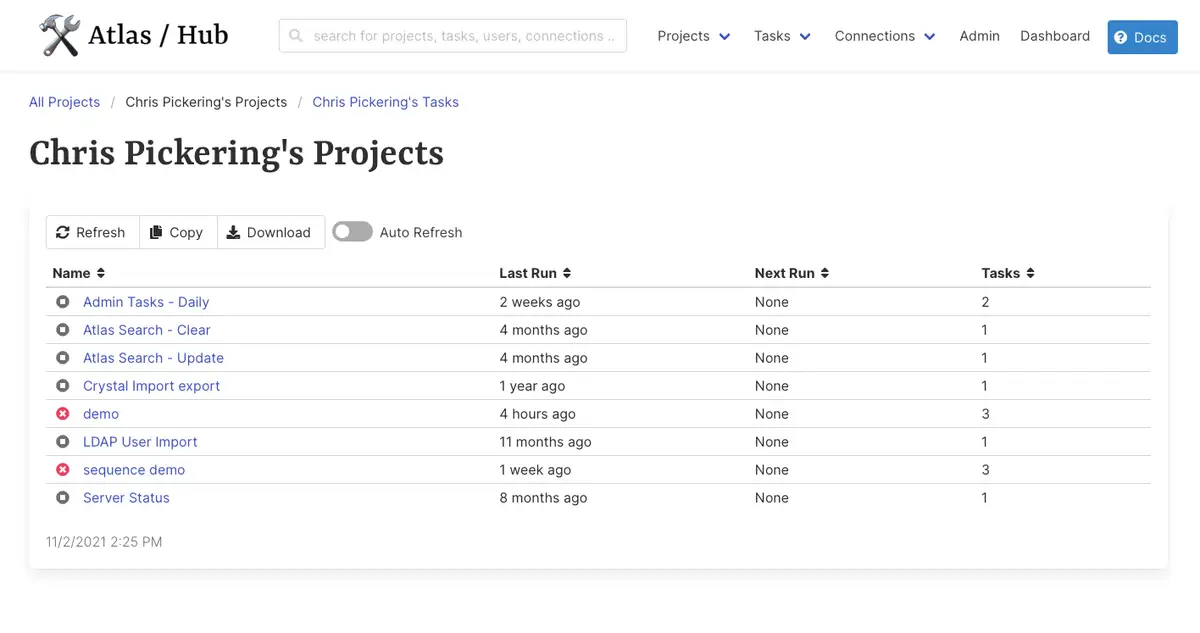
All ProjectsThis loads a paginated table of all projects along with a name cloud of project owners.My ProjectsThis loads a paginated table of all projects for the specified owner.Project DetailsSummary page of some project events and a few actions that can be taken.New ProjectThe page to create or edit a project. If no projects, or no tasks exists, users are directed here to create a project.
∞ Project Details
There are two actions a user can take in a project - delete or edit.
There are a few task control options:
NewThis will redirect to thetaskpage, tasks can only be created under a project.Disable AllThis will disable all tasks in the project from running.Enable AllThis will enable all tasks in the project to run.Run AllThis will immediately run allenabledtasks.
∞ New Project
When creating or editing a project the same steps can be used. By default a new project is owned by the creator. However, users have the option of taking ownership of existing projects by checking the “Take Ownership of Project” button.
∞ Run Tasks in Sequence
Checking this box will run the tasks in a series instead of in parallel. The run order is determined by the job rank (1,2,3,4…) and if there is no rank, or a duplicate value, the tasks are sorted by name (1,2,3…a,b,c…).
∞ Triggers
There are three types of triggers for a project.
∞ Cron
The cron schedule is used to run on specific dates or times. It follows the typical linux type cron scheduling. More information can be found here and some examples.
Check the “Use a cron schedule” box to enable a cron schedule.
Fill in parameters as required. Leave fields blank as a wildcard.
For example, to run a task ever Monday at 8 AM, set the option “day of the week” to 0, and “hour of the day” to 8.
∞ Interval
The interval schedule runs tasks with a duration between them. For example, running a task every 20 minutes. Check the “Use an interval schedule” box to enable an interval schedule.
An interval schedule will run a project “ever x
- week(s)
- day(s)
- hour(s)
- minute(s)
- second(s)
∞ One Off
It is also possible to schedule an additional one-time schedule.
∞ Parameters
See the parameters page for more parameter options.