Library
The unified report library.
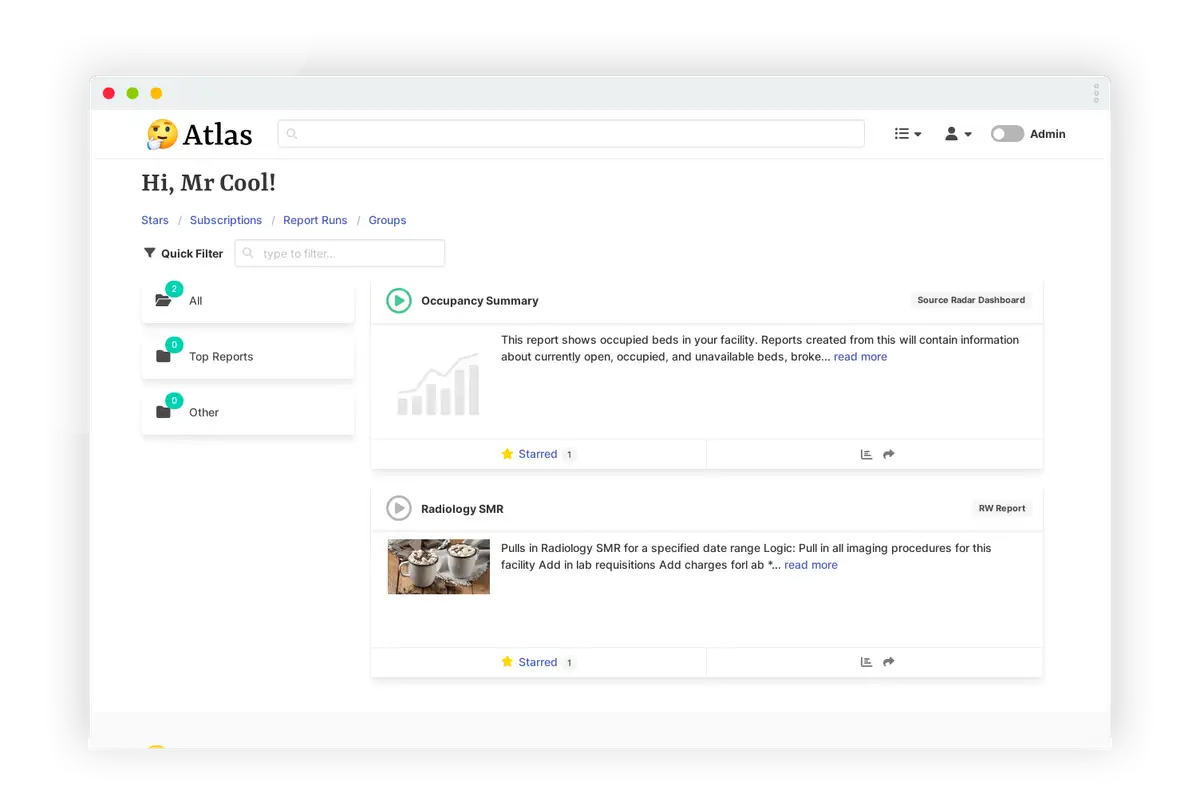
What do we love?
-
Have you found yourself switching between four or five different reporting tools finding and running reports? With the unified Atlas Library all your report metadata is in one place where you can document, tag, and group reports.
The unified report library -
Capitalizing on a centralized metadata repository, Atlas Library makes it possible for you to quickly search for and find reports in any connected system! Most reports can be be launched directly from the search results. Powerful filters quickly narrow results down. Are you a report developer? You can even search for reports using a specific sql table or column!
Supercharged report search -
Have you even wanted to share a link to an Epic Hyperspace report? Now you can! With Atlas Library embedded in Epic Hyperspace you can easily share system reports with your colleagues.
Deep report sharing
-
Commonly used terms, such as 'LOS' for Length of Stay, can be defined in one place and shared across many reports.
Define key terms -
Atlas Library includes reports to provide insights into your report library. Quickly find reports that are ready to be retired, reports that are past due for maintenance, or even unauthorized report creation.
Track your library's key metrics -
Have you been working on a project involving a series of reports to gather data? Covid for example? Atlas Library has a unique feature allowing you to group reports, from any system, and terms together into a Collection with additional documentation. The collections are promoted in search so anyone else looking for 'Covid' reports will find your curated collection of reports first!
Group reports into collections
-
Wonder how much your report is being used? Or who's using it? Its all possible with the click of a button! Atlas Library collects all report usage data and displays it on a clean chart or table. Find how often your reports are run, and who uses them. The inverse is also true! Search for you peer's and find what reports they are running!
Report library's missing tool: The Report Profile -
Managing a large report library is tough. Baked in report maintenance schedules make it easy to stay on top of. Admin reports remind you when a report is coming up for maintenance before it is past due. Multiple schedule options are available. Perhaps one of your reporting tools requires you to update multiple reports right away? The powerful search options allow you to find reports using specific sql columns and tables.
Baked in report maintenance schedules -
These questions are now all answered in your report documentation within the Library before your users can ask you! Many documentation options allow you to fully document your content, from images to terms, from report descriptions and assumptions to who requested the report to be made.
Who? What? When? Why?
-
Have you found yourself switching between four or five different reporting tools finding and running reports? With the unified Atlas Library all your report metadata is in one place where you can document, tag, and group reports.
The unified report library -
Capitalizing on a centralized metadata repository, Atlas Library makes it possible for you to quickly search for and find reports in any connected system! Most reports can be be launched directly from the search results. Powerful filters quickly narrow results down. Are you a report developer? You can even search for reports using a specific sql table or column!
Supercharged report search -
Have you even wanted to share a link to an Epic Hyperspace report? Now you can! With Atlas Library embedded in Epic Hyperspace you can easily share system reports with your colleagues.
Deep report sharing -
Commonly used terms, such as 'LOS' for Length of Stay, can be defined in one place and shared across many reports.
Define key terms -
Atlas Library includes reports to provide insights into your report library. Quickly find reports that are ready to be retired, reports that are past due for maintenance, or even unauthorized report creation.
Track your library's key metrics
-
Have you been working on a project involving a series of reports to gather data? Covid for example? Atlas Library has a unique feature allowing you to group reports, from any system, and terms together into a Collection with additional documentation. The collections are promoted in search so anyone else looking for 'Covid' reports will find your curated collection of reports first!
Group reports into collections -
Wonder how much your report is being used? Or who's using it? Its all possible with the click of a button! Atlas Library collects all report usage data and displays it on a clean chart or table. Find how often your reports are run, and who uses them. The inverse is also true! Search for you peer's and find what reports they are running!
Report library's missing tool: The Report Profile -
Managing a large report library is tough. Baked in report maintenance schedules make it easy to stay on top of. Admin reports remind you when a report is coming up for maintenance before it is past due. Multiple schedule options are available. Perhaps one of your reporting tools requires you to update multiple reports right away? The powerful search options allow you to find reports using specific sql columns and tables.
Baked in report maintenance schedules -
These questions are now all answered in your report documentation within the Library before your users can ask you! Many documentation options allow you to fully document your content, from images to terms, from report descriptions and assumptions to who requested the report to be made.
Who? What? When? Why?
Key Integrations
There are many integrations that work out of the box, here's a few examples.

Crystal report metadata - including SQL queries - are loaded and fully searchable. Recent report run output can be downloaded directly!

Dashboard, worksheets, user profiles, usage information and more make the Tableau integration fairly seamless.

Atlas Library functionality take you directly into SSRS report runs, and even can directly launch the report editor or manager! Like other reports integrations, the usage data and raw queries are always loaded.

Seamless integration with Epic, and Epic content, makes Atlas Library an excellent fit. Advanced report sharing and controls are huge.

Connect to PowerBI Cloud instances to easily gather report usage data, use profiles, metadata, search for and launch report directly.
What does it look like?
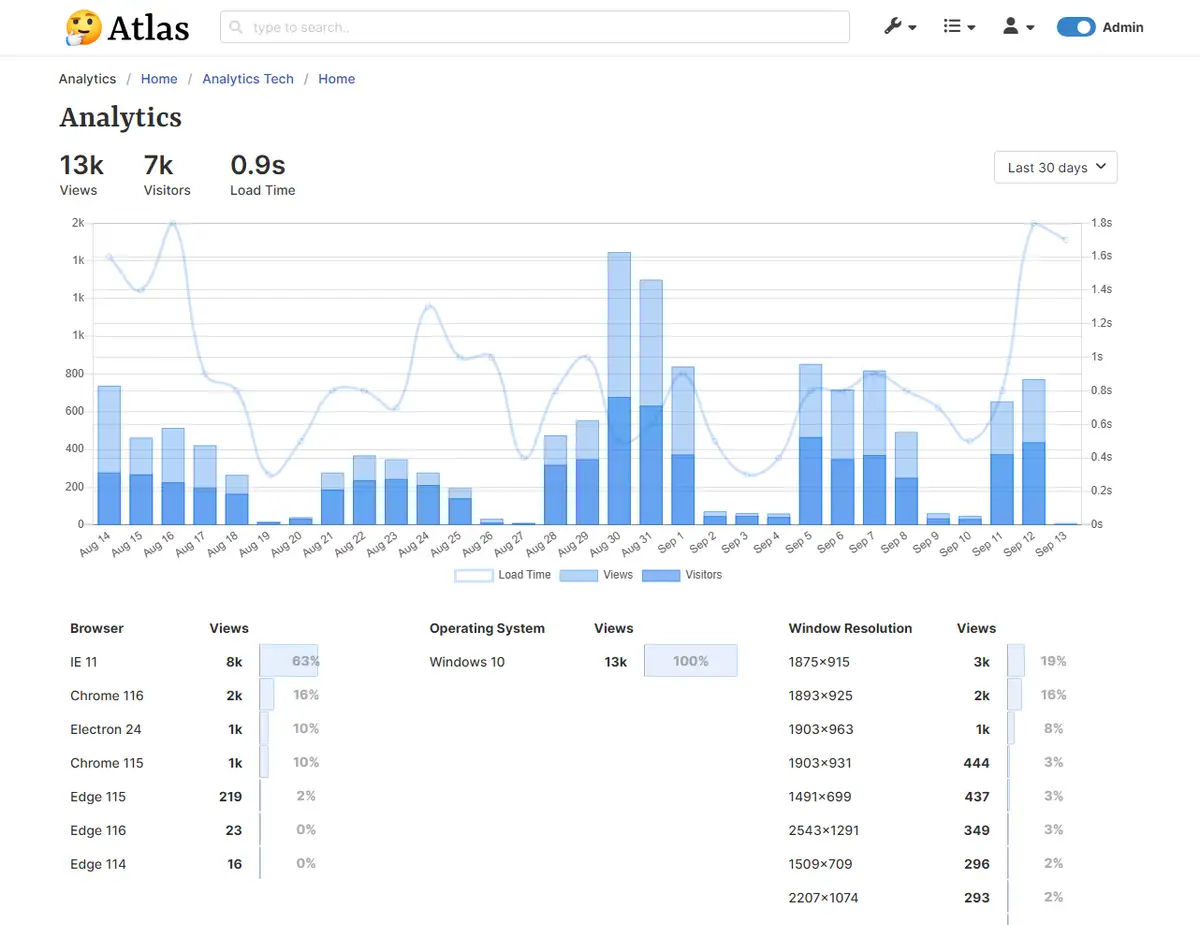
Site Analytics
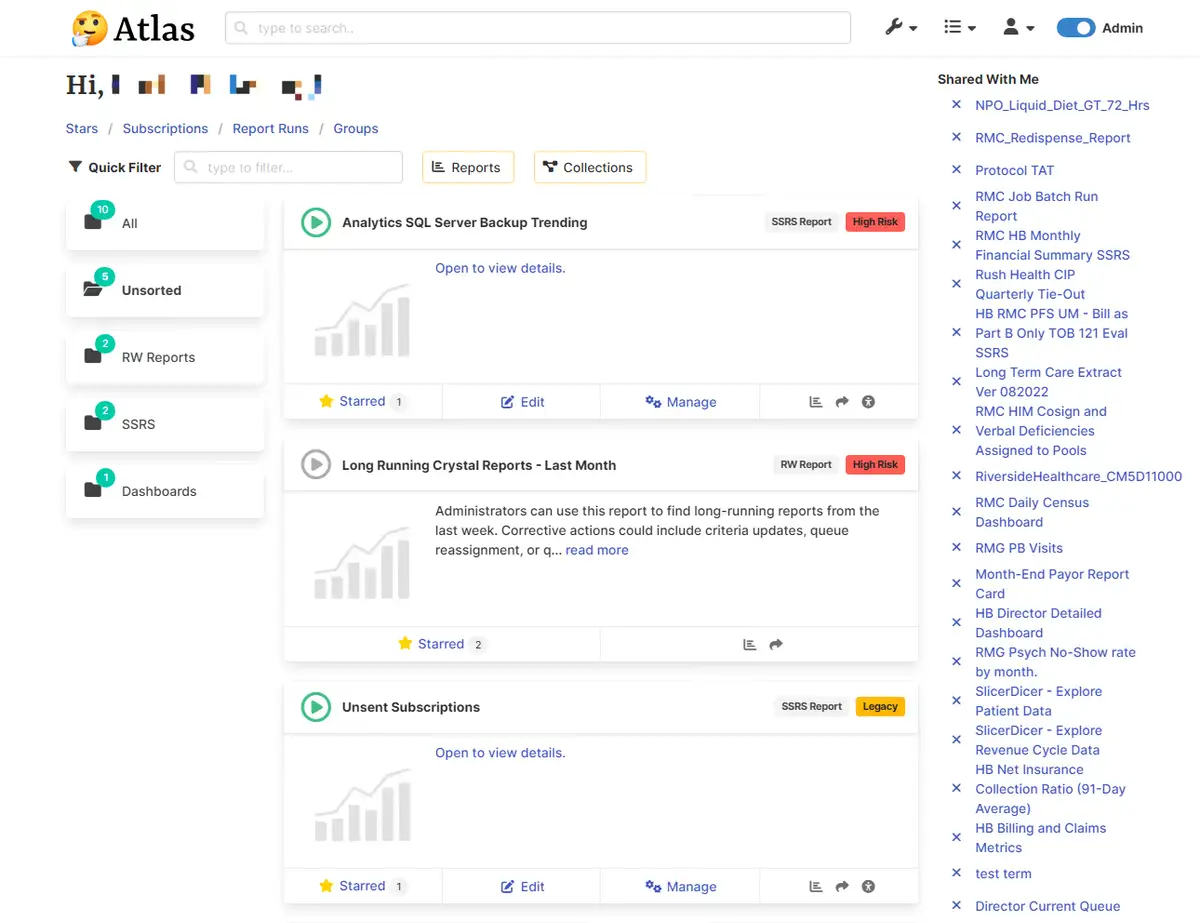
Dashboard
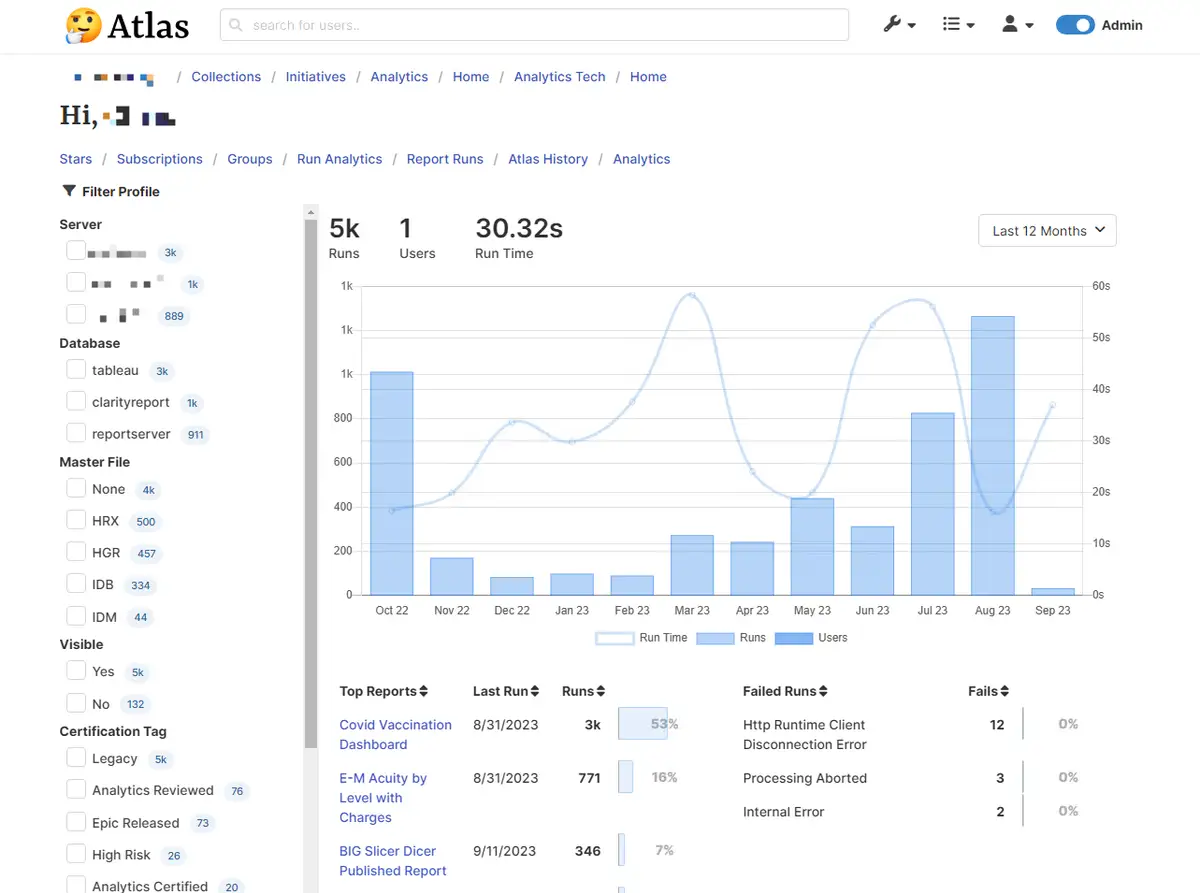
User's Report Usage
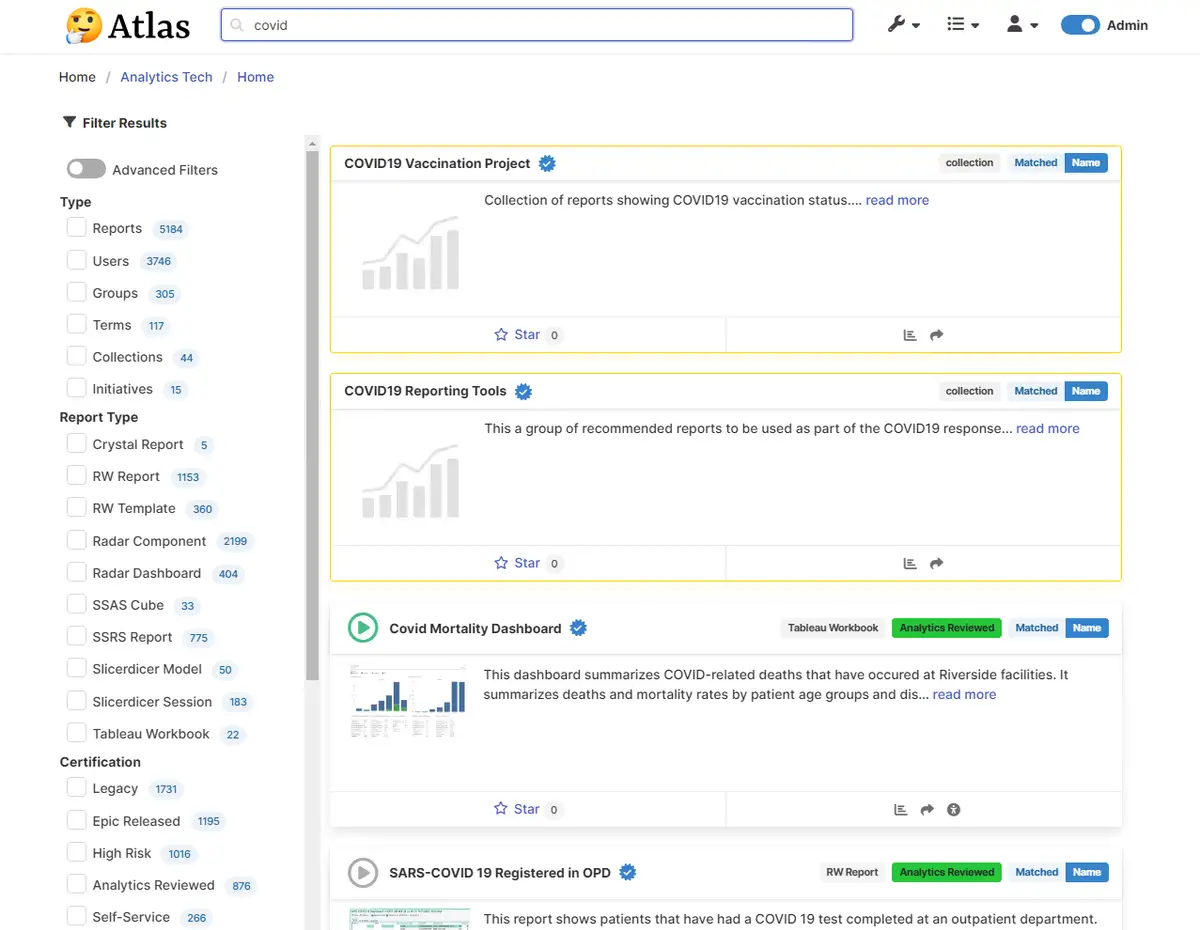
Search
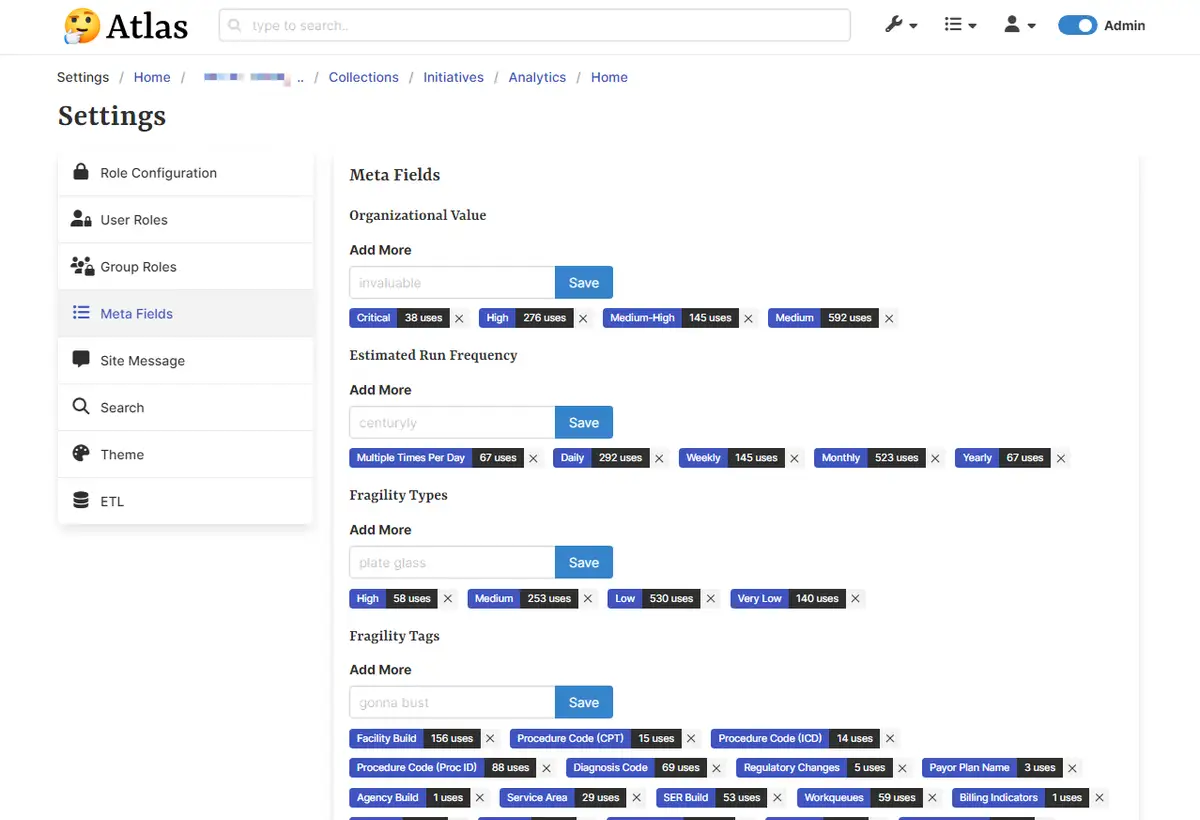
Meta Tag Settings
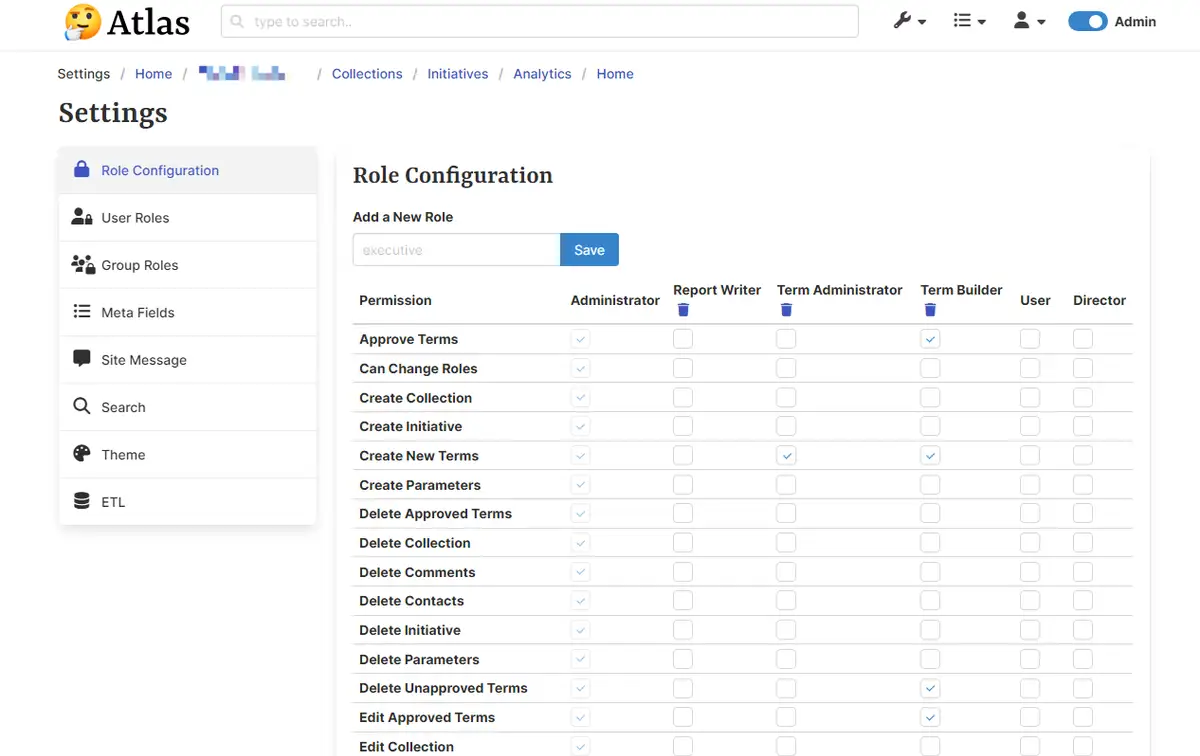
Site Role Settings
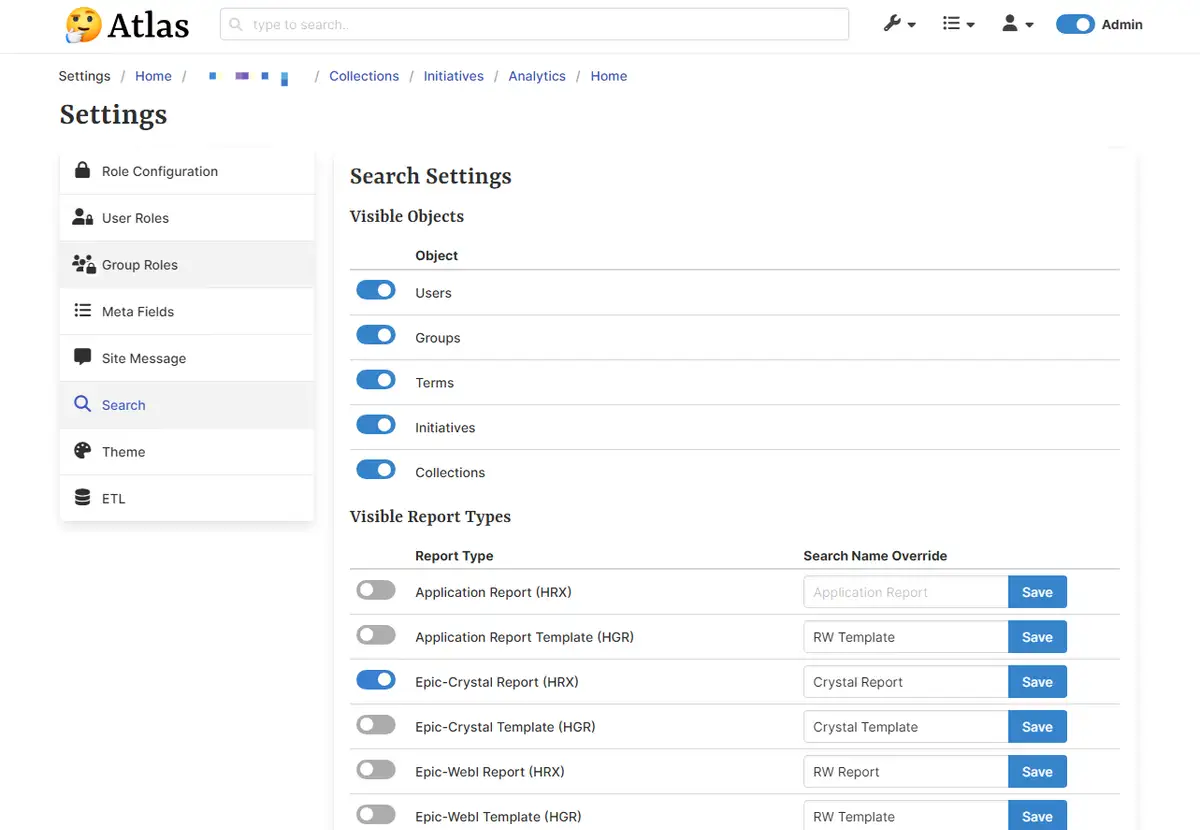
Search Settings
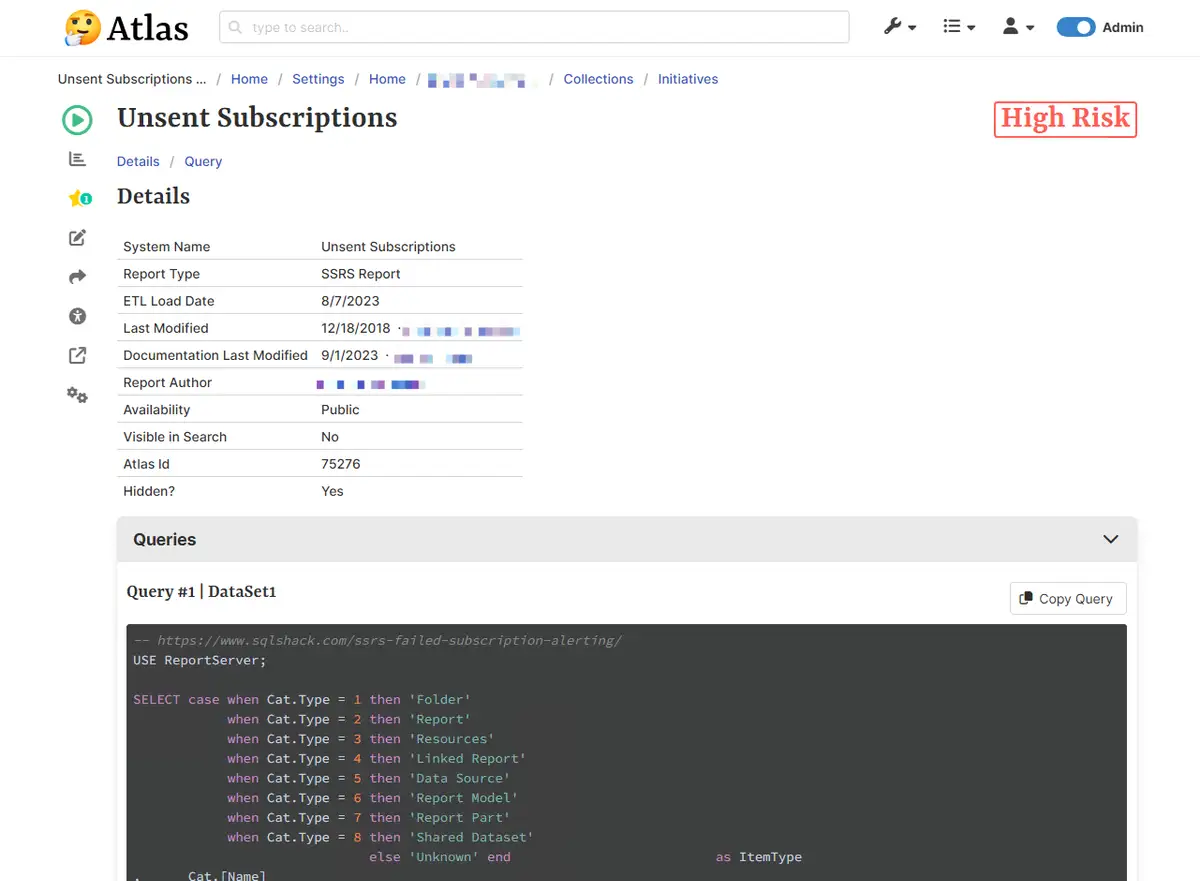
Example SSRS Report
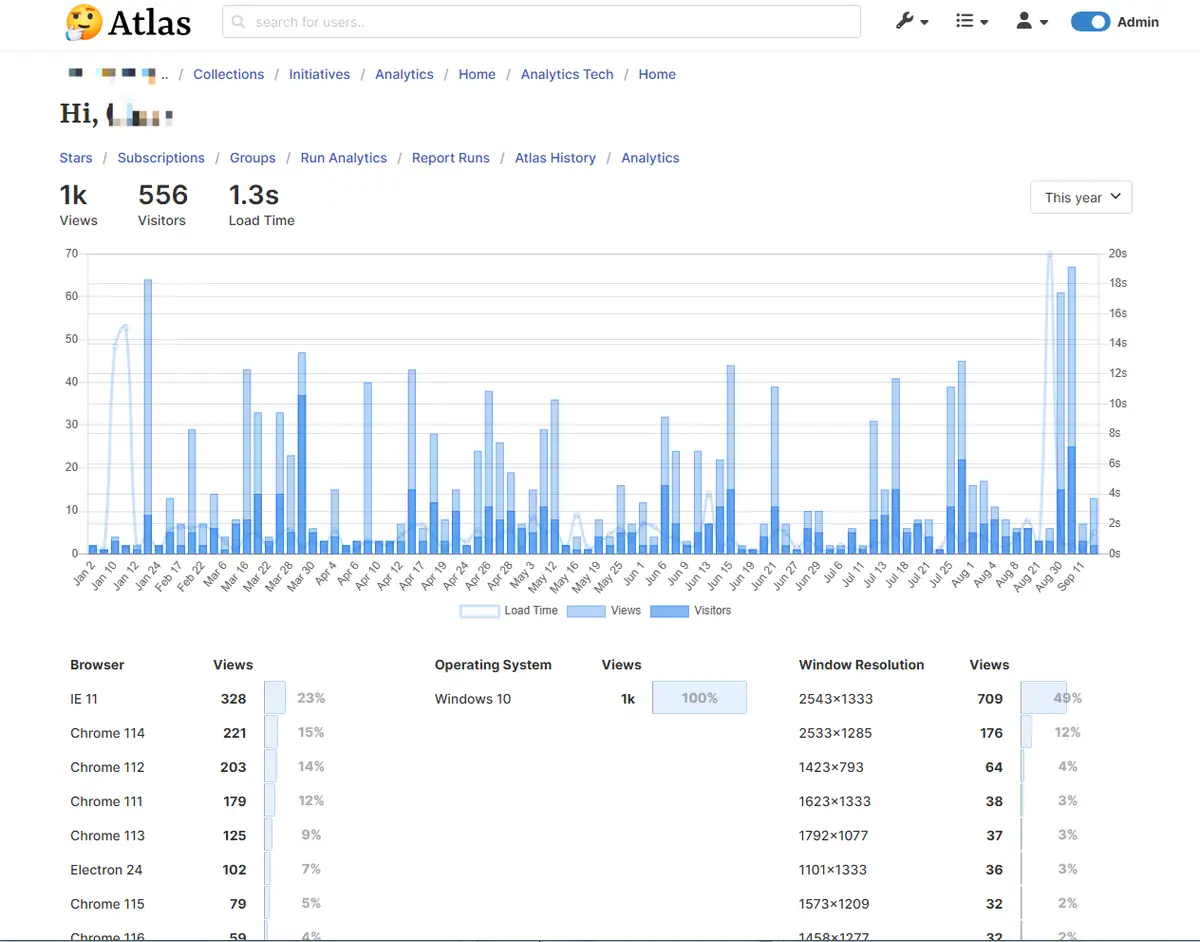
User Analytics
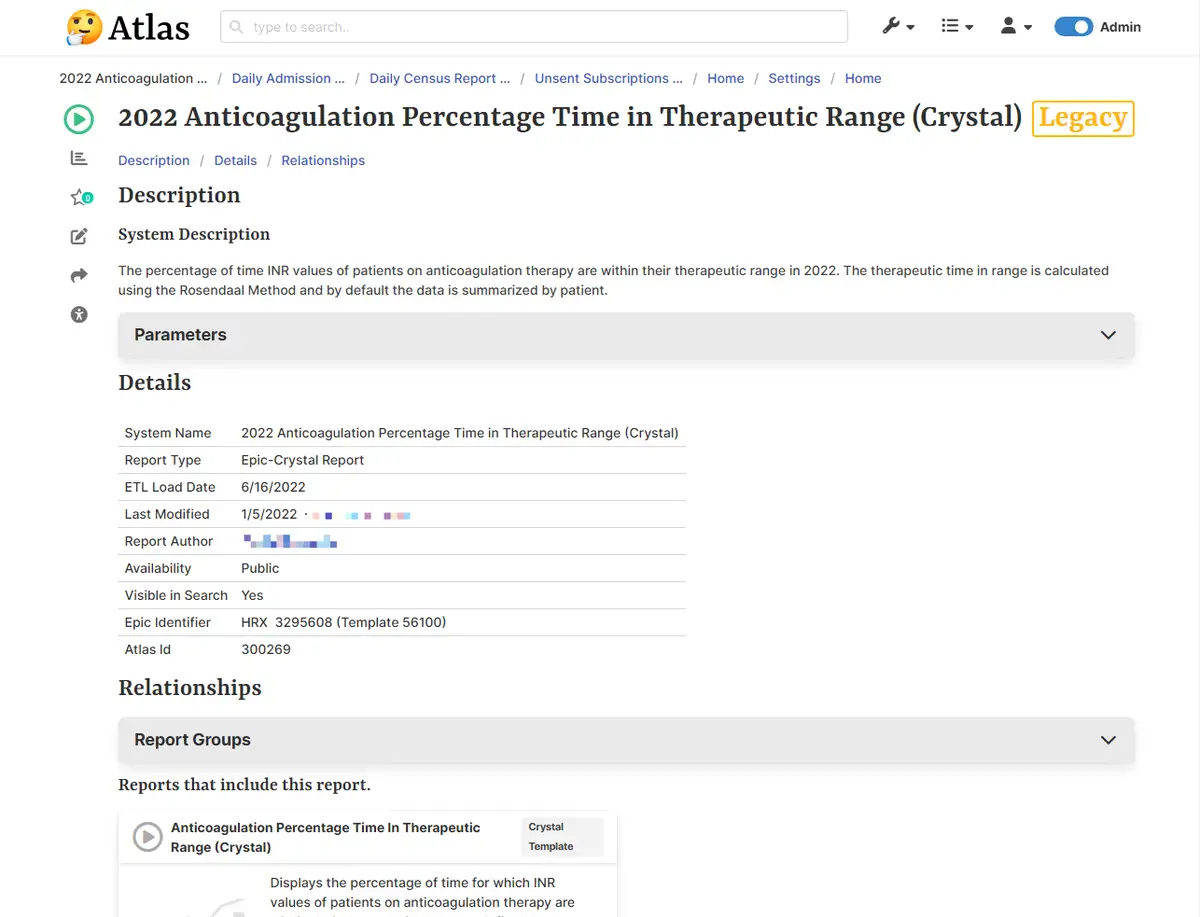
Example Crystal Report
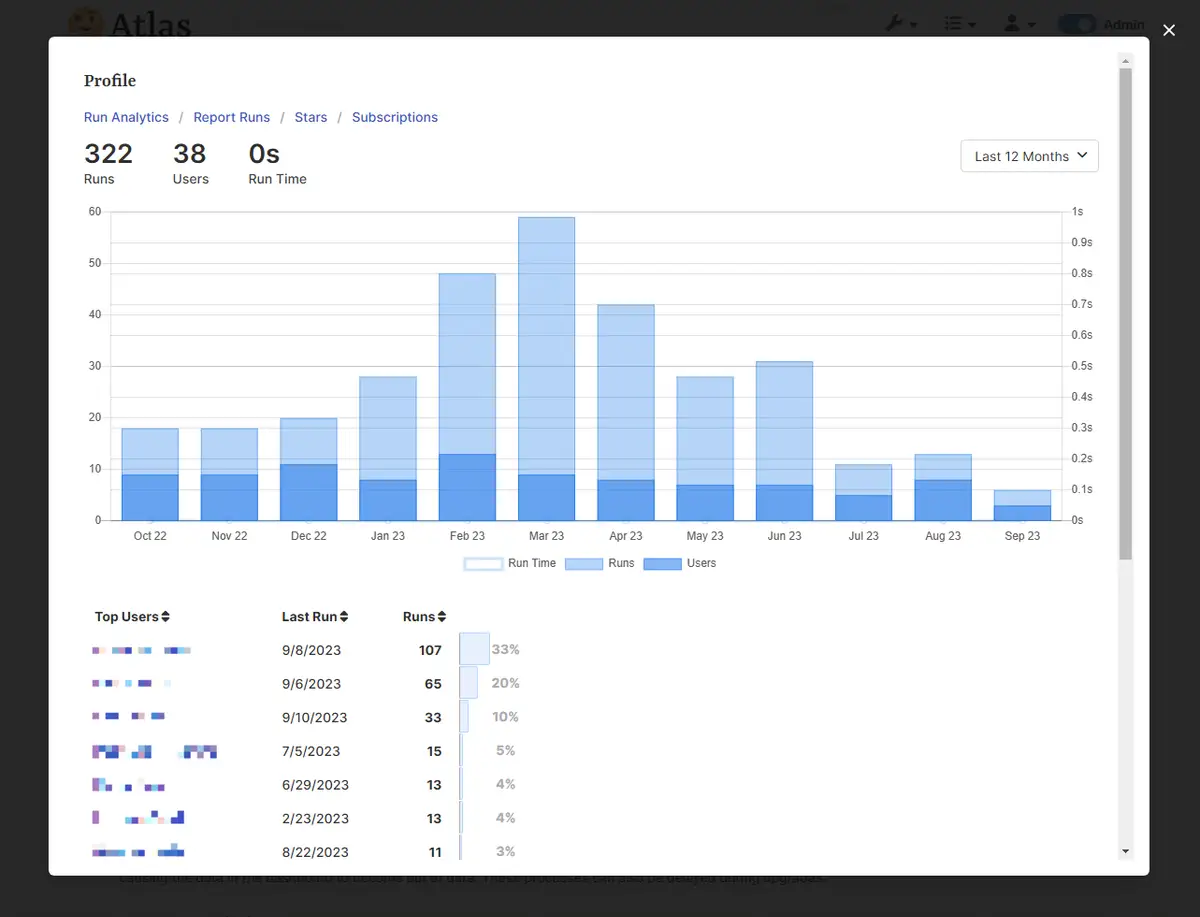
Example Report Usage Profile
-
Site Analytics
-
Dashboard
-
User's Report Usage
-
Search
-
Meta Tag Settings
-
Site Role Settings
-
Search Settings
-
Example SSRS Report
-
User Analytics
-
Example Crystal Report
-
Example Report Usage Profile